The cloud feature puts domains hosted here behind Cloudflare's CDN and protection: hidden origin IP, free HTTPS, DDoS mitigation. It is built on Cloudflare's official SaaS onboarding (Custom Hostnames): you bring your own Cloudflare account API token, with the first 100 hostnames free; this site only automates the configuration and never touches your traffic.
Step 1 · Sign upSign up at dash.cloudflare.com and verify your email. No card needed yet — Cloudflare only asks for a payment method at the SaaS checkout in step 3.
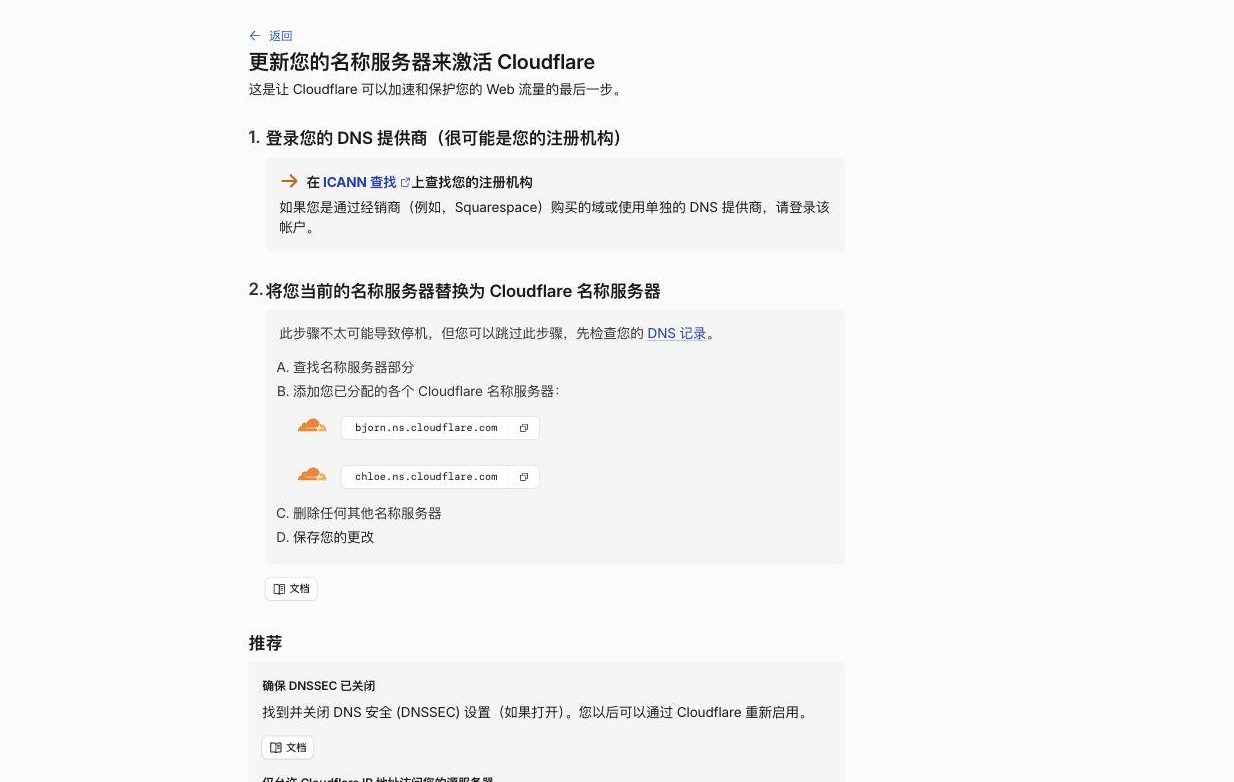
Step 2 · Helper domainRegister any cheap domain (or reuse an idle one) and add it to Cloudflare on the Free plan. A scan result of 0 records is fine — the helper domain needs no records at all. At your registrar, replace the NS with the two assigned to you (the pair is fixed per account) and make sure DNSSEC is off, then wait for the zone to turn Active — in our test Cloudflare confirmed within half a minute of the registry publishing the change. Note: the helper domain cannot be hosted on this site at the same time — its NS must stay on Cloudflare.Cloudflare's nameserver instructions; your account's assigned pair may differ
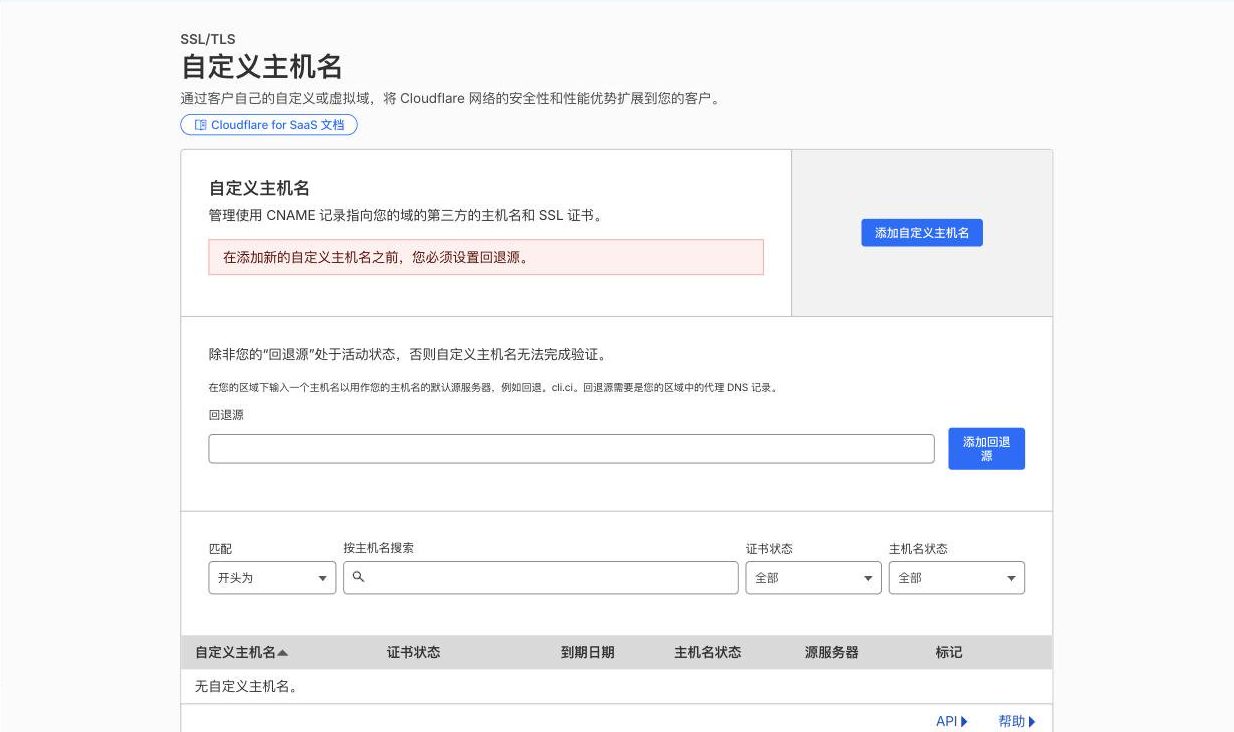
Step 3 · Enable SaaS (card goes here)Open the helper zone → SSL/TLS → Custom Hostnames and click "Enable Cloudflare for SaaS". Cloudflare immediately opens a checkout page asking for a payment method (card / PayPal / Apple Pay / Google Pay), with $0 due today; in our test a China-issued Visa worked on the first try. Once checkout completes and the "Fallback origin" screen appears, SaaS is enabled — the fallback origin and everything after it is configured automatically by this site, so fill in nothing here. This step works even before the zone turns Active.Seeing the fallback-origin screen means SaaS is enabled; leave it empty — this site configures it
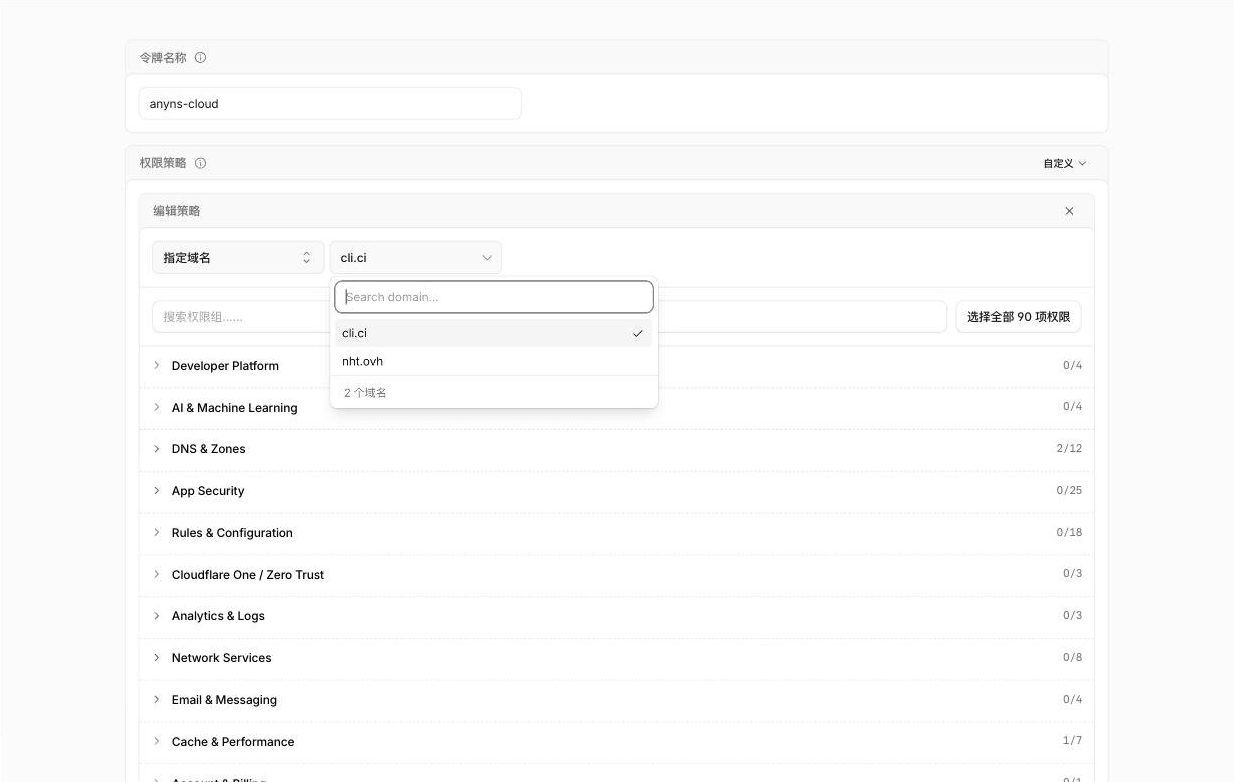
Step 4 · Create the API tokenManage Account → Account API Tokens → Create Token. In the permission policy, all 4 picks below are required:
Token: 4 required picks (none optional)
Scope                     → Specified Domains (tick only the helper domain)
Zone                      → Read
DNS                       → Edit
Zone SSL and Certificates → Edit
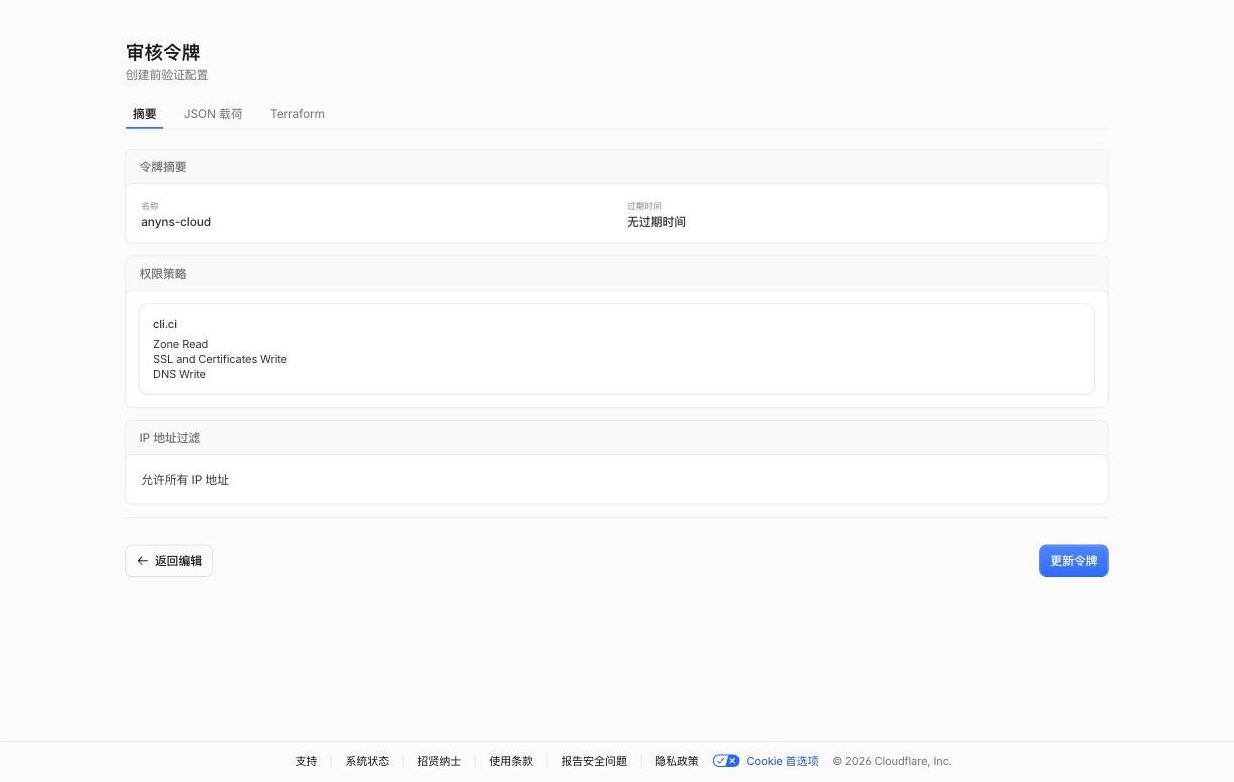
Scope "Specified Domains": tick only the helper domain among manyThe review page should show one domain plus the three permissions above
Advanced origin (optional)If you plan to use the Advanced section when enabling a cloud (custom origin port, or HTTP as the origin protocol), the token needs two extra permissions from the Rules group. Just edit the token you created above and add them — editing permissions does not rotate the secret, so an already-connected token keeps working without re-binding. Sticking with the default 443 + HTTPS needs none of this. Rules are merged by port and protocol: hostnames sharing a port reuse one origin rule, and HTTP/HTTPS each reuse one configuration rule; the free plan allows 10 rules of each kind (shared with rules you configure by hand), so keeping your backends on one port keeps long-term usage at 2-3 rules.
Advanced origin: 2 extra picks (optional, both in the Rules group)
Origin          → Write
Config Settings → Write
Step 5 · Connect in the panelOpen the console and paste the token into the "Cloudflare Cloud" card. This site verifies the permissions and zone status automatically; afterwards your DNS records gain a cloud toggle.
"SaaS not enabled" errorStep 3 wasn't finished: the checkout wasn't completed, or no payment method was added.
How the free tier countsPer your Cloudflare account: the first 100 hostnames are free, $0.10/hostname/month beyond that (billed by Cloudflare, nothing to do with this site).
Wildcard recordsRecords like *.example.com cannot use the cloud — Cloudflare's free plan does not support wildcard custom hostnames.
What if the helper domain expiresAll clouds stop working. Keep auto-renew on; this site also alerts you when it detects problems.
Can this site see my trafficNo. Traffic flows through Cloudflare straight to your origin; this site only calls the API for configuration.
LeavingDisconnect with one click in the panel — the encrypted token is deleted on the spot; records with the cloud turned off immediately resolve directly again. No lock-in.
The token you connect has only the restricted permissions listed in this tutorial and covers only your helper zone; it is stored encrypted and never displayed. You can also revoke it in the Cloudflare dashboard at any time.